
Computer
First, a serial port must be free. In the application (General Parameters), select the port to use (COM1 by default).
Quarry management for all your aggregate sites in one place!
Arigest is quarry management software for quarries and aggregates plants that buy and sell material weighed on a weighbridge. It reads the weight from the weighing equipment through the serial port, generates delivery notes automatically and issues invoices, with customers, haulage and costs all in one place.
For quarries, gravel pits and aggregates plants that buy and sell material weighed on a weighbridge. Each part of the company finds what it needs here:
Sales and costs compared by different criteria, with charts and custom reports.
The weight goes from the truck weighbridge to the delivery note: tare, gross weight and total weight, with the lorry, the driver, the customer and the site.
Invoices with or without delivery notes attached, bank transactions linked to invoicing and priced delivery notes at the office.
Haulage, carriage, vehicles, spare parts, consumption and incidents, as part of quarry management.
Includes an invoicing system that meets all the requirements of article 29.2.j of Ley 58/2003, General Tributaria (Spanish General Tax Act), and the provisions of the Reglamento de Requisitos de Sistemas de Facturación (RRSIF, the Spanish regulation on invoicing systems)
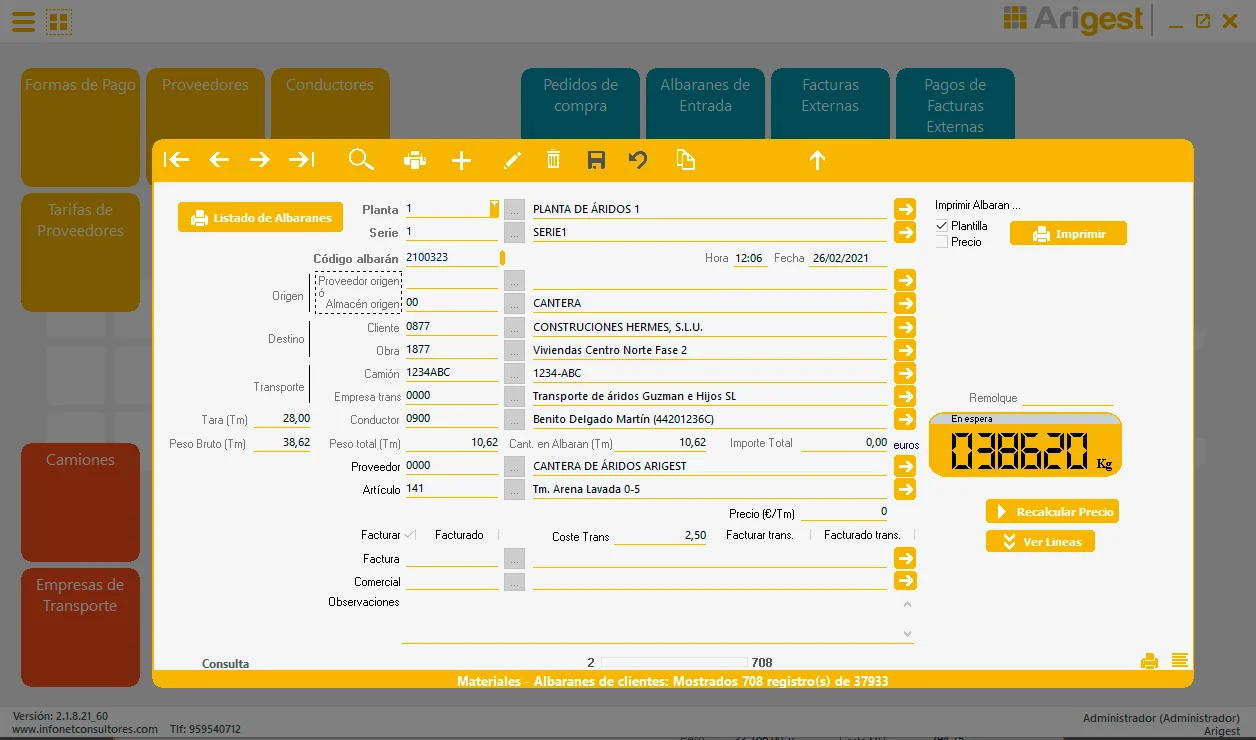
The Aggregates Management application handles every day-to-day operation involved in buying and selling material, such as:
Each part in detail: the truck weighbridge linked to delivery notes, weighbridge tickets, delivery notes and invoices and quarry management. Or see all the features at a glance.
The application is installed on a computer connected to the electronic weighing equipment, communicating constantly through its RS232 serial port. The weighing equipment sends the tonnage shown on its display to the PC through the serial port. For the two devices to communicate, both the weighing equipment and the computer it is connected to must be configured:
First, a serial port must be free. In the application (General Parameters), select the port to use (COM1 by default).
The application is designed to work with the Sorribes S-400 model, configured to transmit the weight continuously through its serial port
The connection cable between the weighing equipment and the computer must be a serial cable plugged into the PC's RS-232 port, with a female end (to the PC) and a male end (to the weighing equipment).
Several points are worth highlighting that make the application easier to operate, giving it great versatility in handling information, as well as the optimisation of certain search and internal control processes.
The links between the application's different forms are one of its most powerful features: you can move from one to another effortlessly and always have the information you need on the fields you are working with.
All operations are described in more detail in the user manual, from any form in the application by pressing the F1 key.
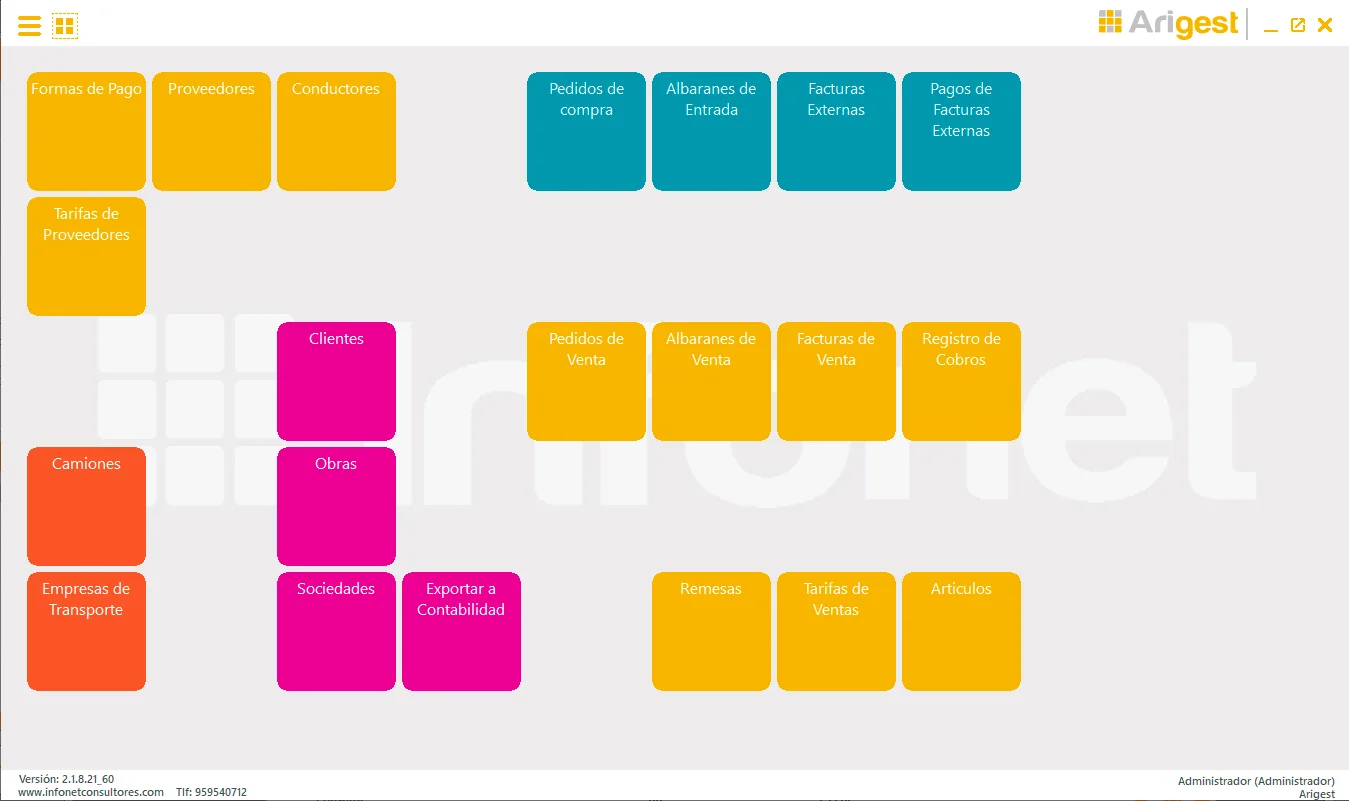
There are 4 ways of working with the weighbridge, depending on where the invoicing office is located:
In this mode the PC is physically connected to the weighbridge through an RS-232 communications port, and the weighbridge is configured in ‘continuous weight output mode’, meaning it constantly transmits the weight it registers. The gross weight is therefore received directly from the weighbridge to generate the delivery notes, and the user decides the correct weight to record once it has stabilised. ‘ARIGEST’ would be used at the plant itself.
Here the weighbridge keeps operating exactly as it did before the application was introduced. The PC is physically connected to the weighbridge and, through a communication module, receives in the ‘background’ all the weighing data entered manually, storing it in a file. At any time you can start ‘ARIGEST’ and import all the delivery notes issued, for example, throughout the day. This mode only requires the PC to be switched on and the ‘delivery note capture module’ to be running. It is typically used by the company manager, who visits the plant regularly to collect all the delivery notes issued that day or over a period.
This mode is used when ‘ARIGEST’ runs at a different location from the weighbridge, for example at the invoicing office, which is often elsewhere. All you need is a PC connected to the weighbridge running the ‘delivery note capture module’, so that the delivery notes issued manually are written to a text file. This file is taken to the office, where all the delivery notes issued during the day or period are imported. New trucks, customers and items created at the plant must be registered manually at the office.
This mode is used when ‘ARIGEST’ runs at two different locations that must stay synchronised: the plant and the invoicing office. For example, the plant only issues delivery notes and registers new trucks, items and companies, while the invoicing office handles everything else (invoicing, item pricing, delivery note valuation, etc.).
The invoicing office is located away from the plant. Delivery notes issued at the plant through Arigest are exported to the invoicing office, and any new trucks, customers and companies created at the plant are registered automatically. To do this, the plant database, which contains the delivery notes issued during the day or period, is imported at the office.
Building on these last two modes, we are developing a module that transmits the delivery notes generated at each plant to the invoicing office in real time, within seconds of being issued, over the internet.
This way, the main invoicing office can see, within seconds, the delivery notes being generated at any plant at that very moment. Naturally, this requires internet access at the plants and at the invoicing office.
Through the form or on +34 959 54 07 12: how many weighbridges and quarries you have and how you work today.
We show you Arigest with the day-to-day running of your plant.
Depending on where the invoicing office is, you choose one of the 4 weighbridge operating modes.
Arigest is installed on a computer with a free serial port, linked to the weighing equipment by an RS‑232 serial cable.
Frequently asked questions
There are more answers in the Arigest frequently asked questions.
It is designed to work with the Sorribes S‑400, configured to send the weight continuously through its serial port.
Arigest has 4 operating modes depending on where the invoicing office is: from the weighbridge itself, with a communication module, from a file, or with delivery notes at the plant and invoicing at the office.
A Windows computer with a free serial port, linked to the weighing equipment by an RS‑232 serial cable.
Yes. It complies with article 29.2.j of Spain's Ley 58/2003, General Tributaria, and with the Reglamento de Requisitos de los Sistemas de Facturación (RRSIF).